
Share Your Tale with Your Friends and Party Members
Your adventures are now shareable. Turn any tale into a public page your friends can read without an account - the whole story, or a single scene you're proud of. You choose the byline, and you can unshare anytime.
Some stories are too good to keep to yourself. Starting today, you can share any of your tales as a beautiful public page - the cover, every scene image, and the full narration - with anyone, even if they've never touched LiveTale.
Share your tale with your friends
Every adventure you play is one of a kind. Nobody else met that suspicious innkeeper, botched that roll at the worst possible moment, or talked their way out of it in the same way. Until now, the only way to show a friend was a screenshot.
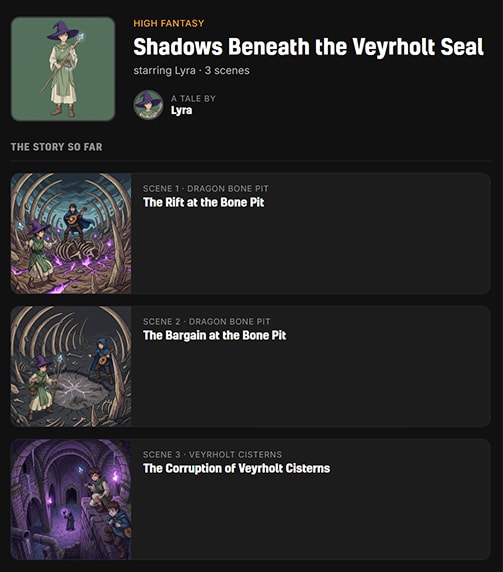
Now a shared tale gets its own public page: your hero on the cover, a scene-by-scene digest with every scene's illustration, and the full narration behind each one. Anyone with the link can read it - no account, no sign-up wall.
How to share your tale
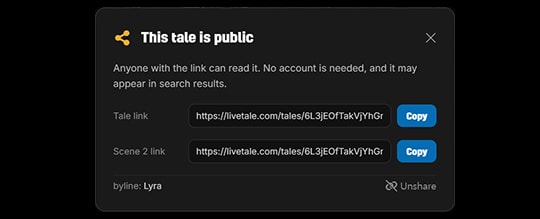
Look for the share icon in two familiar places: on the tale card of your character sheet, and in the Adventure Journal bar while you play. Click it, hit Share publicly, and copy your link. That's it.
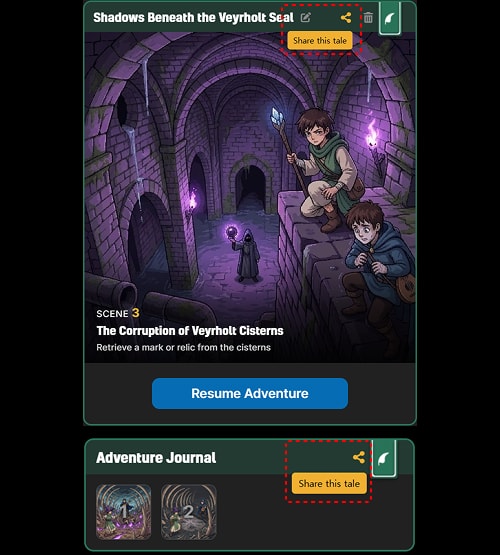
Once a tale is shared, the icon turns into an eye - a quiet reminder that this story is public.
You control where it goes, and who "wrote" it
Sharing is per tale, and it's entirely opt-in: nothing is public until you say so, and each adventure is shared on its own. Before the page goes live, you also pick the byline:
- Your hero character (the default) - the tale is presented as your hero's story, and your real identity stays out of it.
- Your Google profile - put your own name on the cover instead.
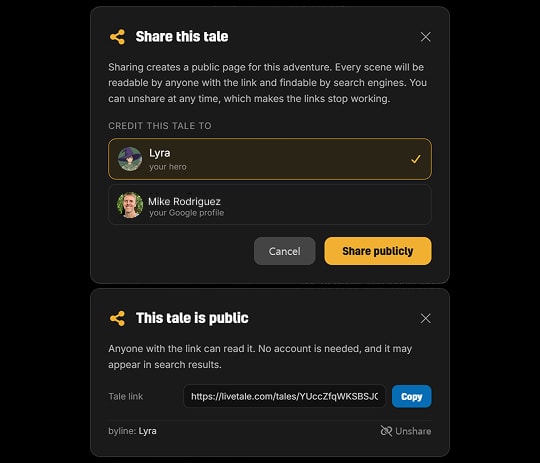
Changed your mind? Unshare at any time. The links stop working immediately, and the page disappears. If you share again later, the tale gets a brand-new link - revoked links stay dead.
Share a single scene
Sometimes it's not the whole saga - it's that one scene. Open any scene from the Scene Archive and you'll find a share option right there.
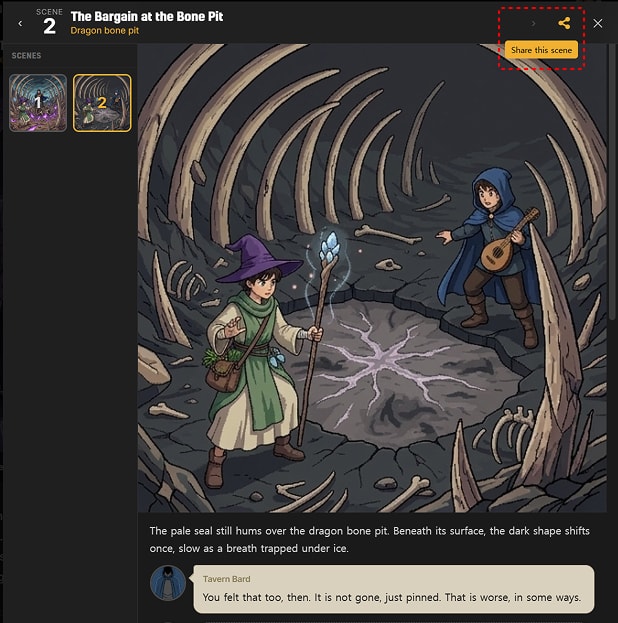
A shared scene link drops your reader straight into that moment - the scene image up top, the full narration below - with the rest of the tale one click away.
So go on - that tale you keep telling your friends about? Now you can just show them. And if they read it to the end, the next adventure might be theirs.
Cheers,
The LiveTale Team