
Choose what happens next: Scene Picker and Power Prompt
When a scene ends, you now choose between two scene prompts and one wildcard, or write your own. Two new tools for steering your story without breaking immersion.
The single biggest piece of player feedback we've gotten is a version of: "The AI GM took the story in a direction I didn't want, and I couldn't get it back." One player put it especially well.
Today we're shipping two new tools that put you back in the driver's seat at every scene boundary.
Scene Picker
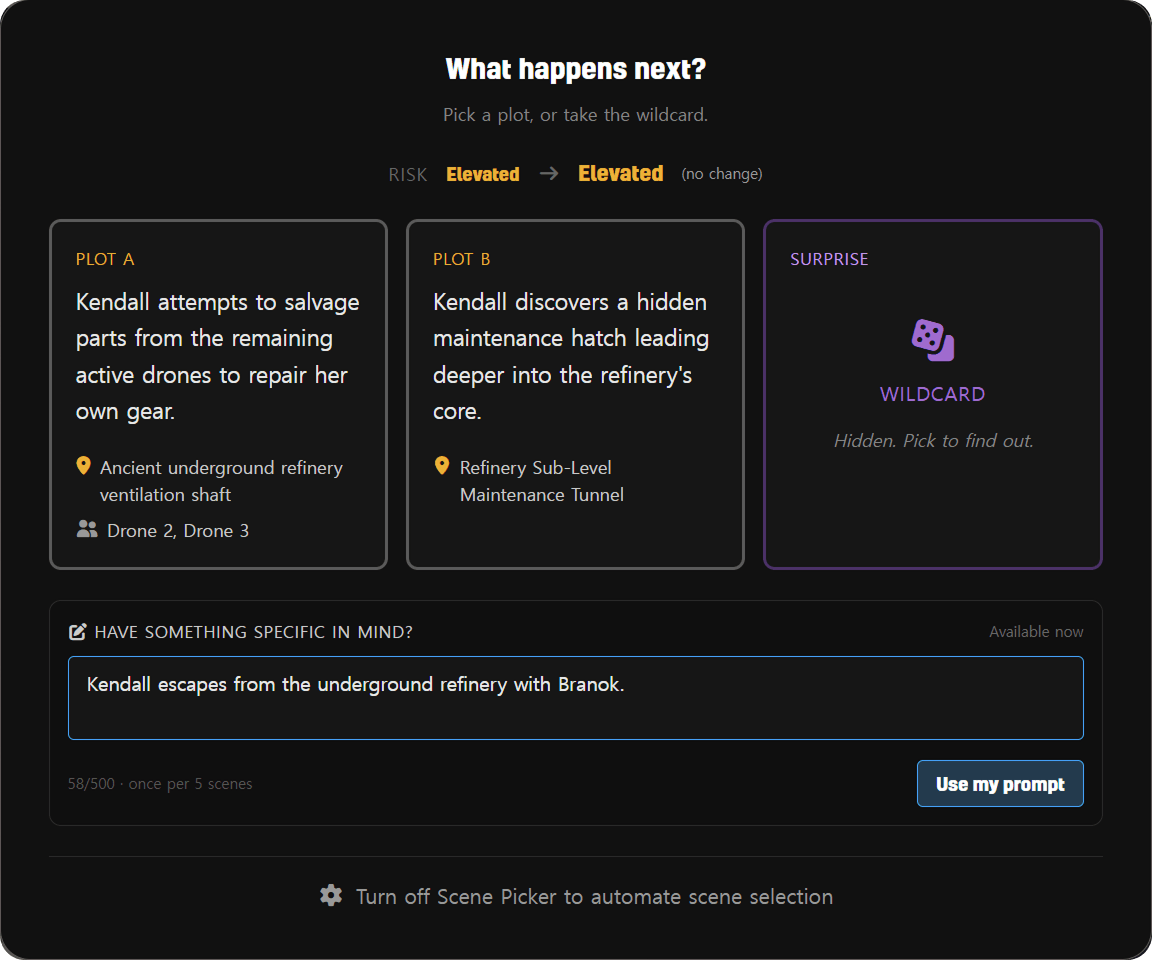
When a scene ends, instead of the engine silently picking the next direction, you now see three options:
- Plot A: a deliberate scene picked by the AI, grounded in what just happened
- Plot B: a different direction, varying location, NPC focus, or pacing
- Surprise: a wildcard pick. Location and characters hidden until you commit
Pick one to set the next scene in motion. The "Surprise" card is genuinely unknown, perfect for the moments you want the story to take you somewhere you didn't expect, without losing the safety of staying in genre.
Power Prompt
For the moments when you have something specific in mind that none of the three options capture, Power Prompt lets you type your own scene direction.
A text input appears at the bottom of the scene picker (and the scene transition view if Scene Picker is off). Write what you want to happen next ("Jericho returns to apologize and offer her help", "the storm breaks and the bridge collapses"), and the Scene Director composes the next scene around your intent, respecting your character, your genre, and the NPCs you already know.
Why both?
Scene Picker is for the quiet moments: "which of these feels right?" Power Prompt is for the loud ones: "I know exactly what I want, let me tell you." Most players will use the picker most of the time. Power Prompt is the escape valve when the picker doesn't have what you need.
Both features are opt-in via Game Settings:
- Scene Picker: On by default for new players; off by default for existing players
- Power Prompt: On by default for new players; off by default for existing players
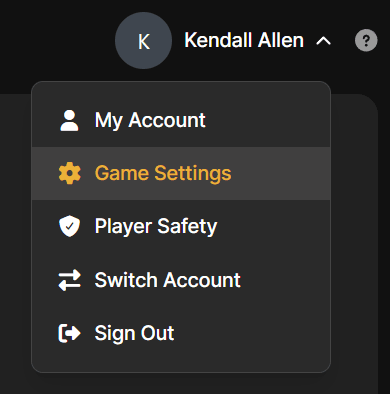
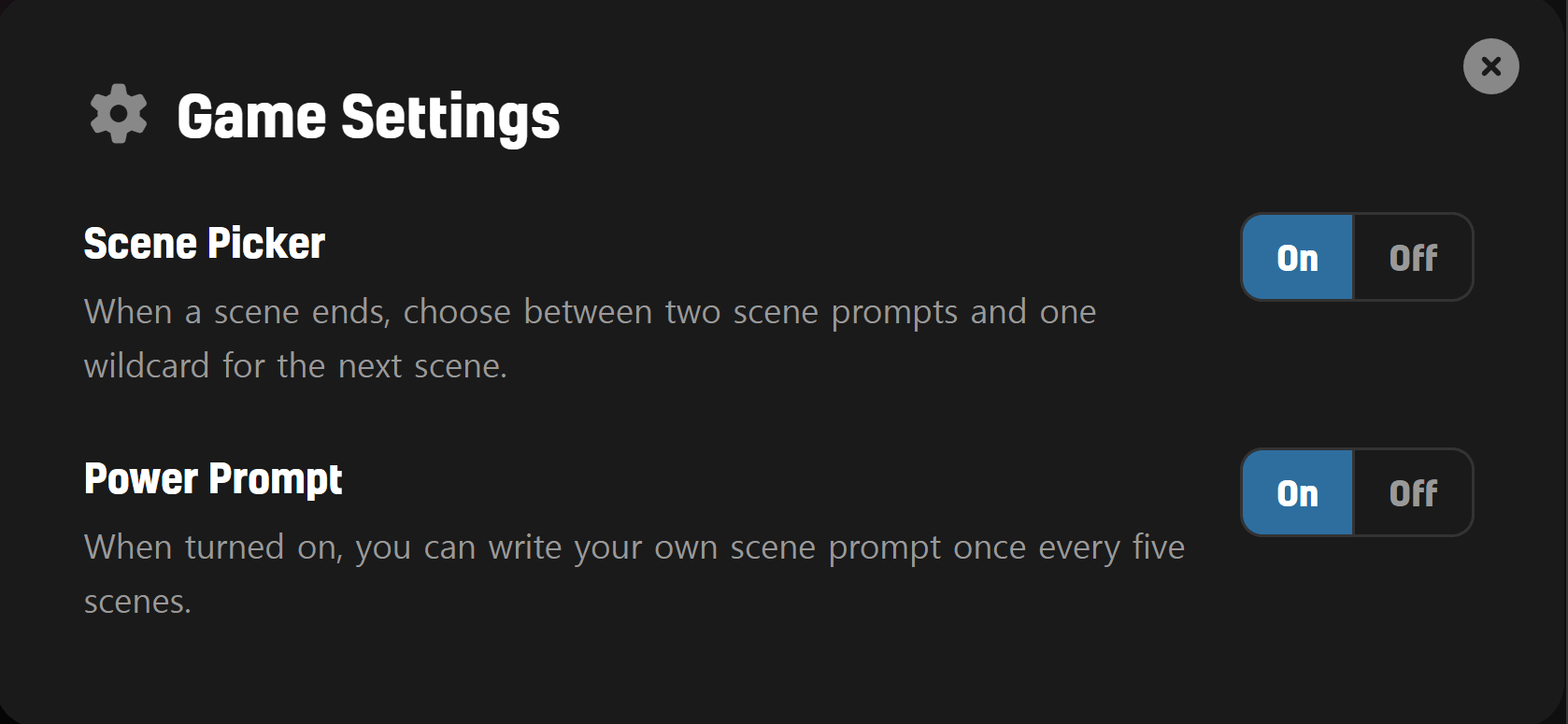
Flip either at any time. The setting takes effect at your next scene end.
If you try Scene Picker or Power Prompt and run into a moment that feels off, we'd love to hear about it. Drop us a line via the contact form on any page.
Cheers,
The LiveTale Team