
The Lore Book Is Now a World Builder: Structured Locations and Characters, Face and All
The Lore Book grows into a simple world builder for your adventures: locations and characters are now individual entries you can edit one by one, and every character can carry a portrait you designed. Pin a face to a character, and that's who walks into your adventures - every time.
The Lore Book has always been where you write the truth of your world: its places, its people, its history. With this upgrade it becomes a proper world builder. Locations and characters are now individual entries with their own structured editors instead of one block of text, and each character entry can carry a portrait you designed yourself. Build the world entry by entry, and every adventure you play in it treats what you wrote as canon - scene after scene, tale after tale.
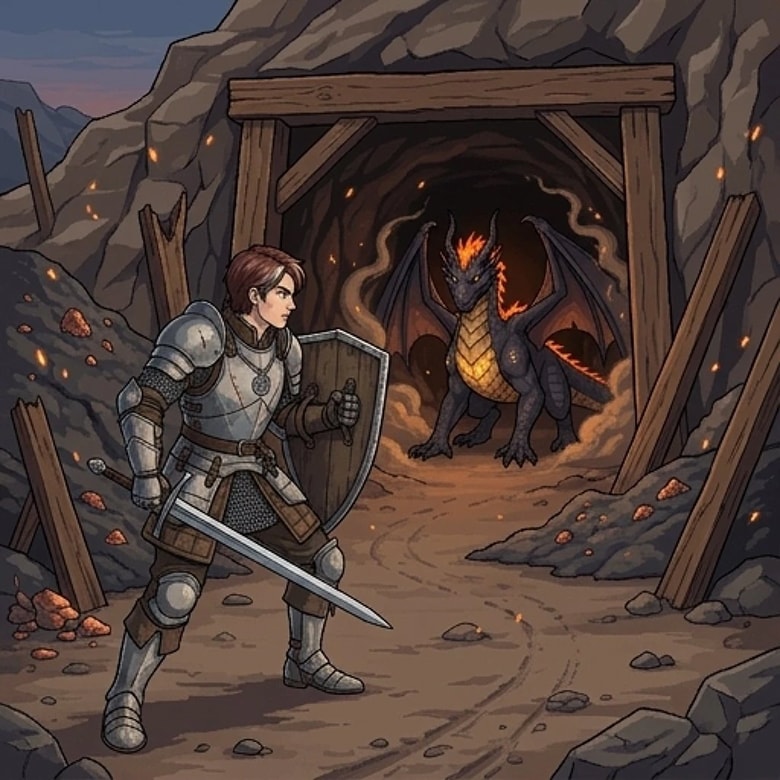
A world builder needs a character editor
Every character entry now holds two things: who they are, and what they look like. Write the visual description you have in mind, press Generate, and the portrait is drawn to your words - the same flow as your hero's portrait, at the same price of 0.5 Page per generation. You can also upload a reference image to steer the look, just like in the character wizard.
When the portrait matches the character in your head, pin it. From that moment it's canon.
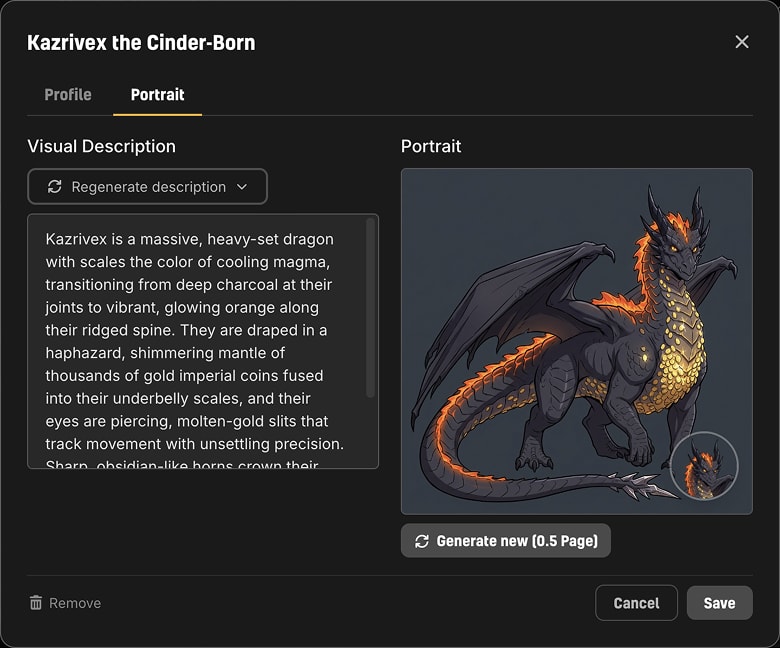
A pinned face is a promise the story keeps. When that character steps into any of your adventures, they appear with your portrait - not a randomly generated one. The story never repaints them behind your back, and the face survives even if the character picks up a new name mid-tale ("The Hooded Stranger" turning out to be Lady Vhalen keeps Lady Vhalen's face).
And a location editor to match
Locations get the same structured treatment: every place in your world is its own named entry with its own description. The tavern where every story starts, the drowned quarter nobody visits, the fortress your hero will only reach in chapter three - each one a row you can rename, rewrite, or remove without scrolling through a wall of prose.
Your world builder feeds your adventures directly. In the "Start a New Adventure" form, typing in the Where or Who fields suggests matching entries from your Lore Book - type "K" and King's Landing is one tap away. And the story engine casts your named places and people into scenes as you play, treating your entries as the authoritative map of the world.
Already wrote your world? Upgrade it in one click
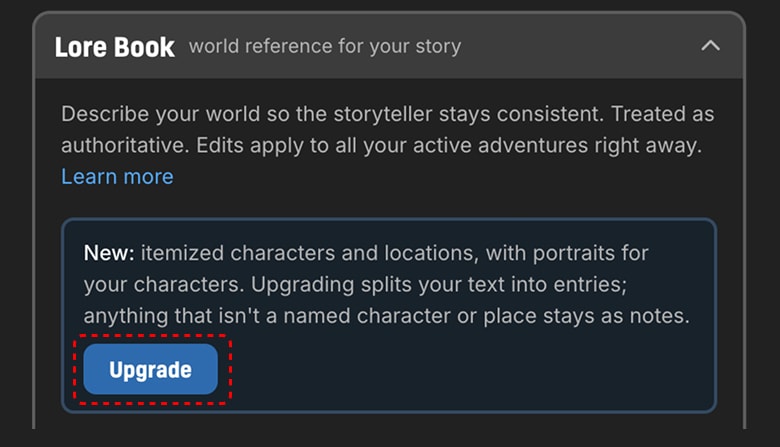
If you built your Lore Book before today, your locations and characters live in free-form text. They keep working exactly as they always have - but one click on the new Upgrade button converts them into structured entries. LiveTale reads your own words and splits them into named locations and characters, each with its description carried over. Anything that doesn't belong to a specific place or person lands safely in the section's notes, so nothing you wrote is lost.
Your adventures help you build
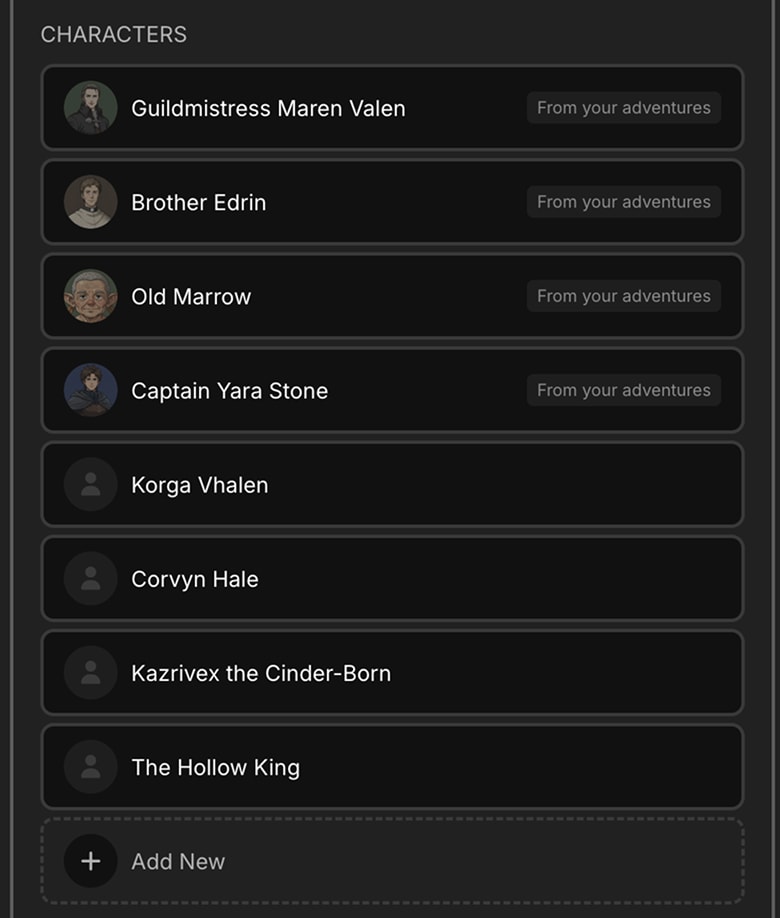
Here's our favorite detail: the world builder works in both directions. If a lore character has already appeared in one of your tales, the Lore Book finds the portrait they earned there and offers it on the entry - adopt it with one click, free. The stranger you met three scenes ago can become a permanent, named part of your world, wearing the exact face you remember.
Also along for the ride: more room to write. The Lore Book's soft length limit grew from 9,600 to 12,000 characters, so detailed visual descriptions don't crowd out your history section.
Where to find it
Open any character's sheet and the Lore Book panel is on the right, same as always. New books start in the world-builder format automatically; existing books show the Upgrade button whenever you're ready. Your world's people have been waiting for their faces - go give them some.