
Turn Any Image into Your Hero's Portrait
Already know what your hero looks like? Upload a reference image - a drawing, a photo, a painting - and LiveTale turns it into a portrait in its own style. Works for brand-new characters and for heroes you've already made.
Sometimes you don't want to describe your hero. You want to show them. Starting today, you can upload a reference image - a drawing, a photo, an old painting you love - and LiveTale will turn it into your hero's portrait.
Bring your own reference
Until now, portraits started from words: you filled in your character's details, and the generator painted from your description. That works great when the look lives in your head. But plenty of heroes already exist somewhere - in a sketchbook, in an old profile picture, in a piece of art that made you think "that's them."
Now you can hand that image to LiveTale directly. We read the reference and write your character's Visual Description from it - the face, the hair, the outfit, the little details that make them recognizable - and then paint the portrait in LiveTale's own style. It's not a copy of your image; it's your character, redrawn for the world they're about to enter.
Here's what that looks like when we hand it a certain famous painting from 1665:
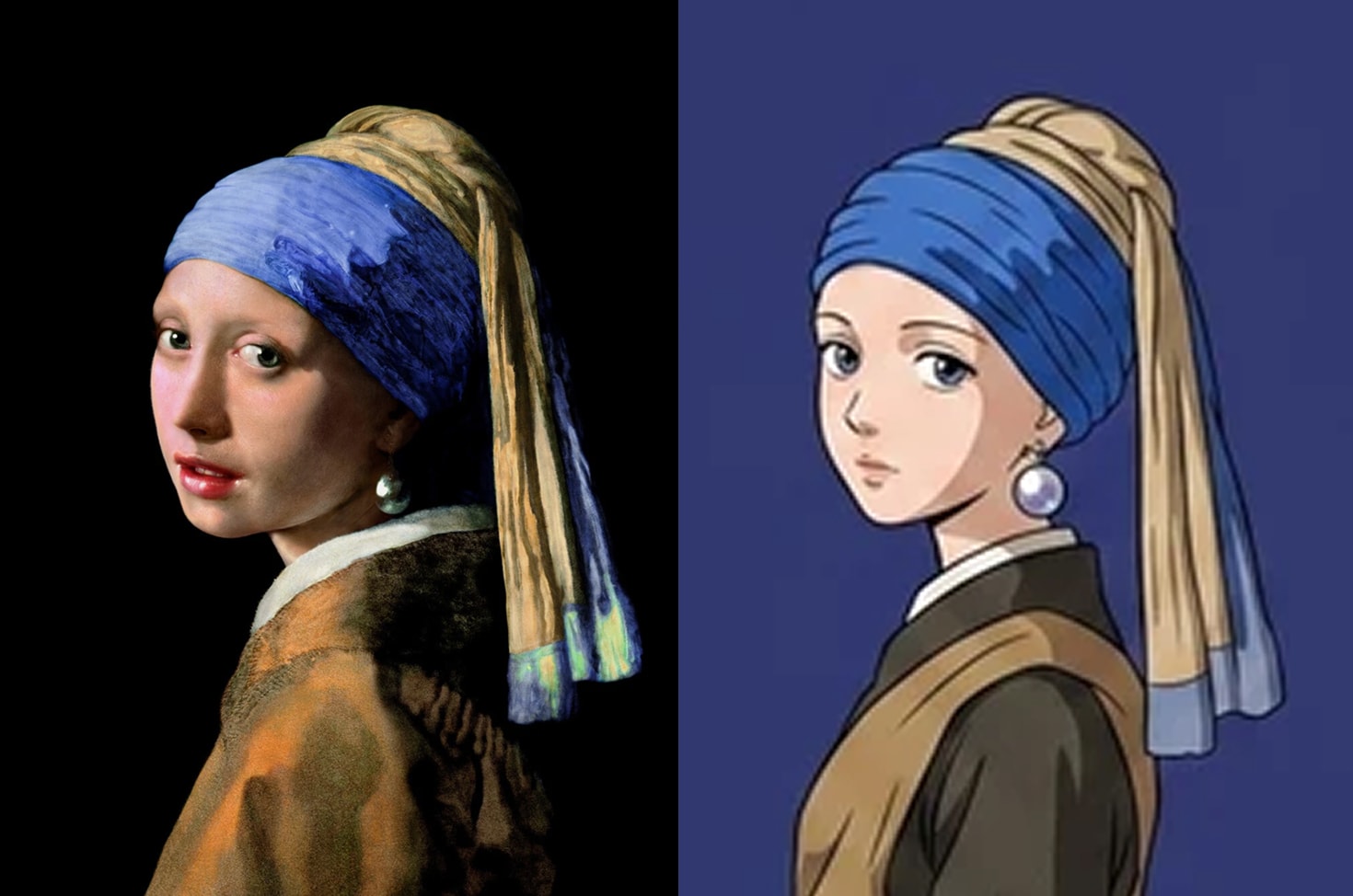
The headwrap, the earring, the glance over the shoulder - they all made the trip.
Start a new hero from an image
When you create a character, the reference option is waiting on the Character Portrait step of the wizard:
- Instead of Generate from Details, click Upload a reference image (JPG, PNG or WebP, up to 10 MB, at least 200 x 200 pixels).
- LiveTale writes the Visual Description from your image. Read it - this is what your character will look like, in words.
- Edit anything you want to change, then hit Generate.
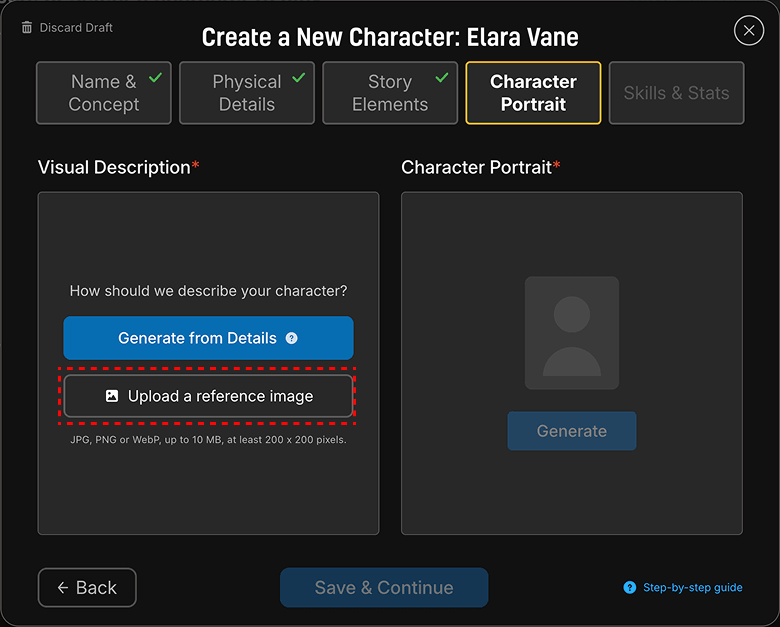
The description stays yours to edit before anything is painted, so if the reference got the scar on the wrong cheek, fix the words and generate.
Give an existing hero a new face
Already have a character? You don't have to start over. Open your character's portrait editor and look for the Regenerate description menu - it now offers From Reference Image alongside the usual From Character Details.
- Open your character sheet and edit the portrait.
- Click Regenerate description, then From Reference Image.
- Upload your image, review the fresh Visual Description, and click Regenerate from Description.
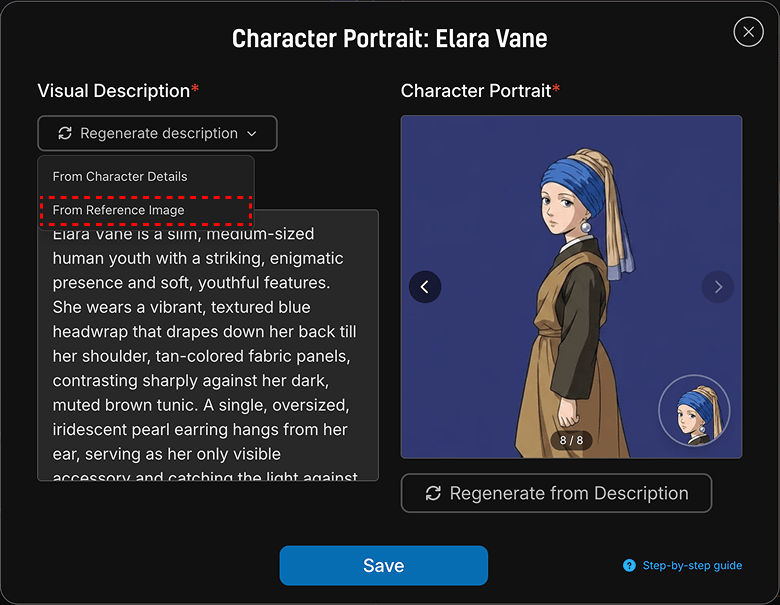
And don't worry about losing a portrait you love: every version you generate is kept. Use the arrows on the portrait to flip back through earlier versions and pick whichever one is truly your hero.
So dig out that sketch, that photo, that painting you've always wanted to play as. Your hero is one upload away.
Cheers,
The LiveTale Team